

Managing card access for lock components is a crucial aspect of modern security systems, especially for businesses and facilities that require controlled entry. As a supplier of lock components, I've seen firsthand the importance of having a reliable and efficient card access management system. In this blog post, I'll share some tips and best practices on how to manage card access for lock components effectively.
Understanding Card Access Systems
Before diving into the management aspect, it's essential to understand how card access systems work. Card access systems use electronic cards or key fobs to grant or deny entry to a specific area. These cards are programmed with unique identification codes that are recognized by the card readers installed at the entry points. When a valid card is presented to the reader, the lock mechanism is triggered, allowing the person to enter.

There are different types of card access systems available, including proximity cards, smart cards, and biometric cards. Proximity cards are the most common type and use radio frequency identification (RFID) technology to communicate with the card reader. Smart cards, on the other hand, store more information and can be used for multiple purposes, such as access control and payment. Biometric cards use fingerprint or iris recognition technology for added security.
Choosing the Right Lock Components
The first step in managing card access is to choose the right lock components for your system. This includes the card readers, locks, and controllers. When selecting lock components, consider the following factors:
- Compatibility: Ensure that the lock components are compatible with your existing security system and card access software.
- Security Level: Choose lock components that offer the appropriate level of security for your facility. For example, if you need high-security access control, consider using biometric card readers or multi-factor authentication.
- Reliability: Look for lock components that are reliable and have a proven track record. This will help minimize downtime and ensure that your system is always operational.
- Ease of Use: Select lock components that are easy to use and maintain. This will make it easier for your staff to manage the system and reduce the risk of user error.
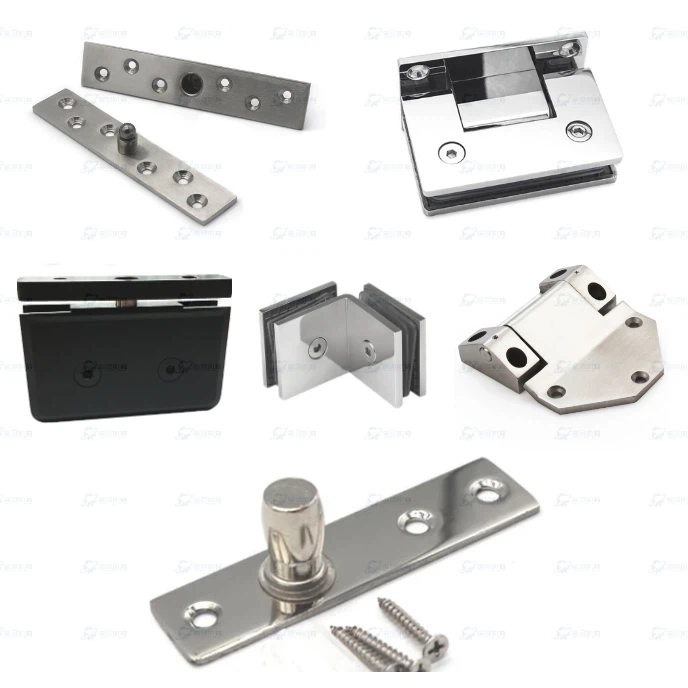
As a lock components supplier, I offer a wide range of products to meet your specific needs. For example, our Top Pivot Hinge Components are designed for use in commercial and residential applications and provide smooth and reliable operation. Our Stainless Steel Quarter Turn Lock is a durable and secure option for doors and cabinets, while our Sliding Door Lock Components are ideal for sliding doors and windows.
Setting Up the Card Access System
Once you've chosen the right lock components, the next step is to set up the card access system. This involves installing the card readers, locks, and controllers, as well as configuring the access control software. Here are some tips to help you set up the system effectively:
- Plan the Installation: Before installing the lock components, create a detailed plan that includes the location of the card readers, locks, and controllers. This will help ensure that the system is installed correctly and that all components are properly connected.
- Test the System: After installing the lock components, test the system to ensure that it is working properly. This includes testing the card readers, locks, and controllers, as well as the access control software.
- Configure the Access Control Software: Configure the access control software to meet your specific needs. This includes setting up user accounts, access levels, and schedules. You can also configure the software to send alerts and notifications in case of unauthorized access.
- Train Your Staff: Train your staff on how to use the card access system effectively. This includes how to issue and manage cards, how to monitor access logs, and how to respond to security incidents.
Managing Card Access
Once the card access system is set up, the next step is to manage it effectively. This includes issuing and managing cards, monitoring access logs, and responding to security incidents. Here are some tips to help you manage card access effectively:
- Issue and Manage Cards: Issue cards to authorized users and ensure that they are properly programmed with the appropriate access levels. You can also set up expiration dates for the cards to ensure that they are only valid for a certain period of time.
- Monitor Access Logs: Monitor the access logs regularly to track who is entering and exiting your facility. This can help you identify any suspicious activity and take appropriate action.
- Respond to Security Incidents: In case of unauthorized access or other security incidents, respond quickly and appropriately. This may include contacting the authorities, revoking access privileges, or conducting an investigation.
- Update the System Regularly: Update the card access system regularly to ensure that it is up-to-date with the latest security patches and features. This will help protect your facility from emerging threats.
Conclusion
Managing card access for lock components is an important aspect of modern security systems. By choosing the right lock components, setting up the system correctly, and managing it effectively, you can ensure that your facility is secure and that only authorized personnel have access. As a lock components supplier, I'm here to help you with all your card access needs. If you have any questions or would like to learn more about our products and services, please don't hesitate to contact me. Let's work together to keep your facility safe and secure.
References
- "Card Access Systems: A Comprehensive Guide." Security Magazine.
- "How to Choose the Right Lock Components for Your Card Access System." Locksmith Ledger.
- "Best Practices for Managing Card Access." SecurityInfoWatch.com.